




shtukbase

Your workspace, in files you own.

Pages, tables and boards on your Mac — and AI colleagues who read and edit them with you. Every page is a plain text file in a folder you choose.

Download for MacNothing to sign up for.

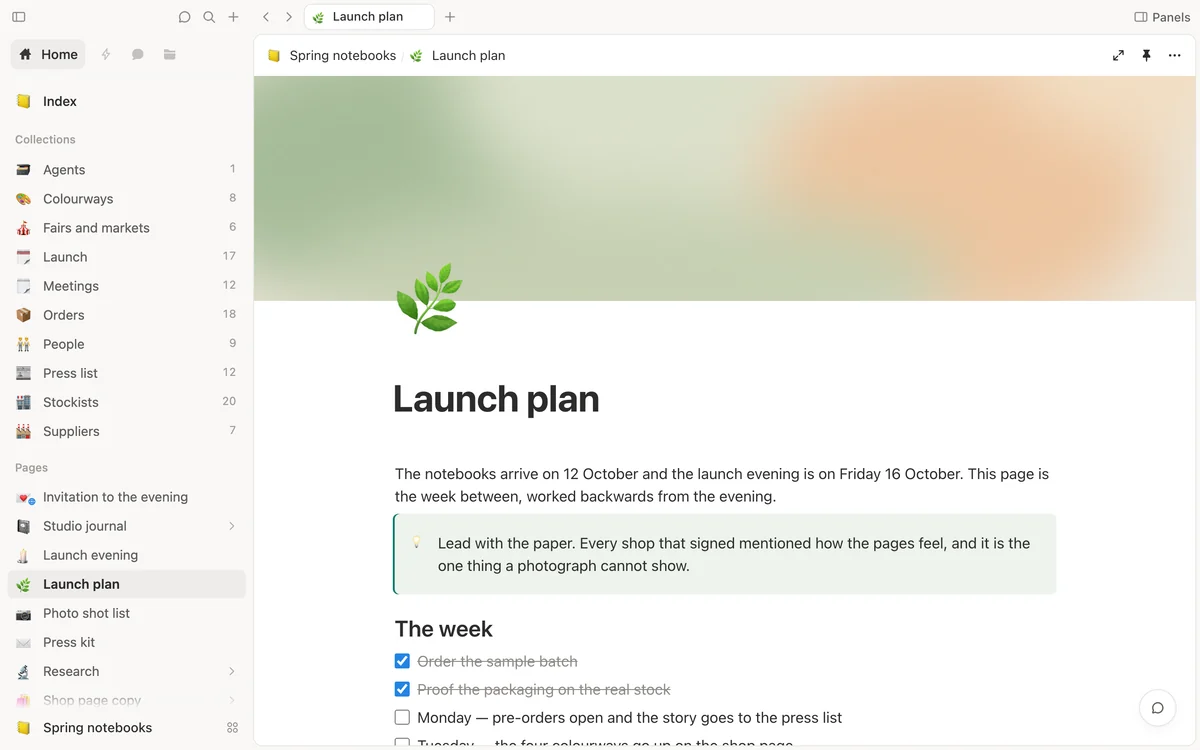
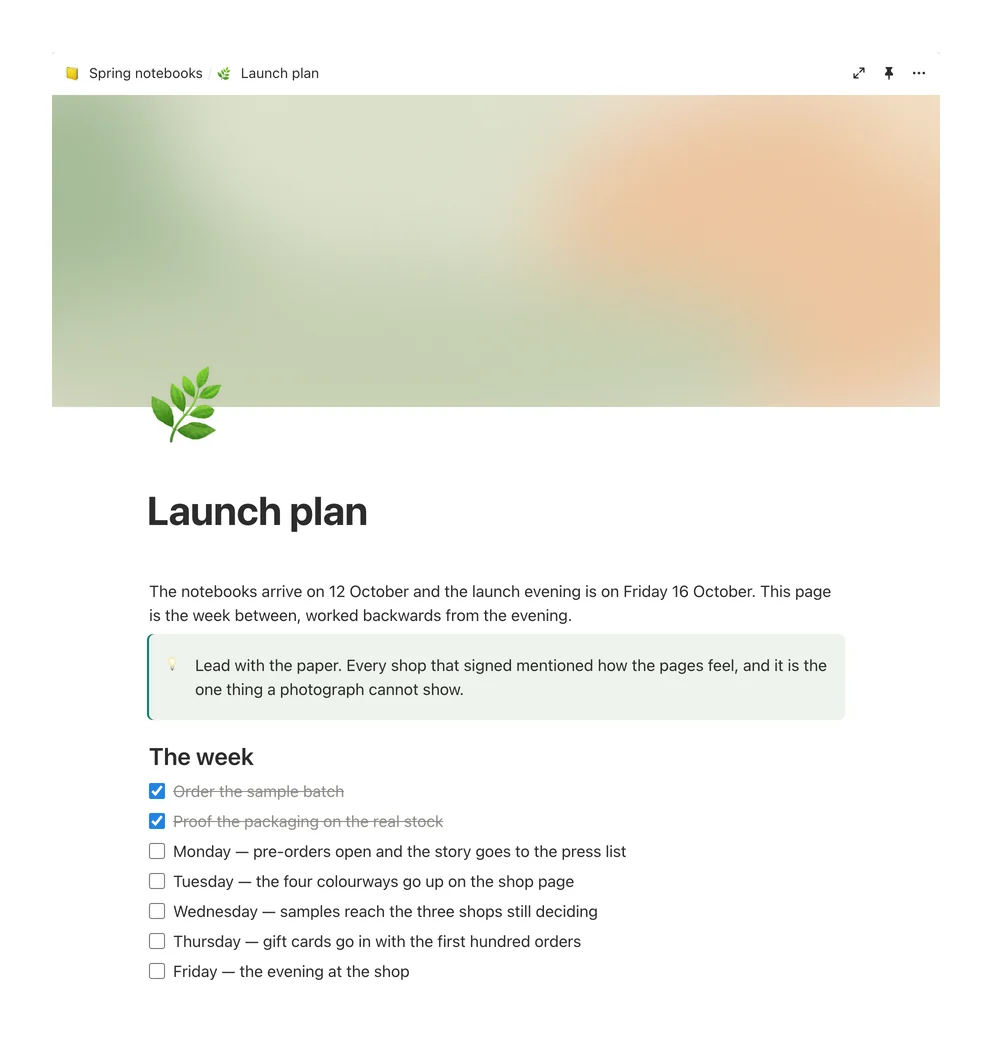
The launch plan for a range of notebooks, open in Shtukbase: a soft green cover, a note to lead with the paper, and the week before the launch evening as a checklist

Write in blocks. Headings, checklists, callouts, pictures and covers.

Every page is a file you can open anywhere.

Shtukbase keeps your work as markdown: plain text, with a few lines on top for the title, the icon and the properties. A table or a board is a folder of such files. Open them in any text editor, copy them, back them up — they never need us to be read.

  • In a folder you choose. Your workspace lives on your Mac, where you put it.
  • With its own history. Changes go into the folder’s git history, so an earlier version is always within reach.
  • Without an account. Nothing to sign up for, and no server of ours in between.
The launch plan as Shtukbase draws it: its cover, its icon and title, a note, and the week as a checklist
launch-plan.md
The launch plan as the app draws it, and the same page as the plain text file it is kept in: its title, icon and cover on top, then the note, the heading and the checklist as ordinary markdown.

Colleagues who work in your pages.

Five colleagues come with the app, each with a face, a way of working and a memory of its own. Ask one to draft, plan, research or tidy up, and the work lands where it belongs: in your pages, tables and boards. Make your own, too, and call it by name.

  • They do the work, not just the talk. A colleague reads your pages, edits them, and shows the steps it took.
  • You set how far they go. Let a colleague only read, or edit inside your folder; anything wider, it asks about first.
  • Your choice of model. Built on DeepSeek Harness: use your own key with the provider you prefer, or run a model on your Mac.
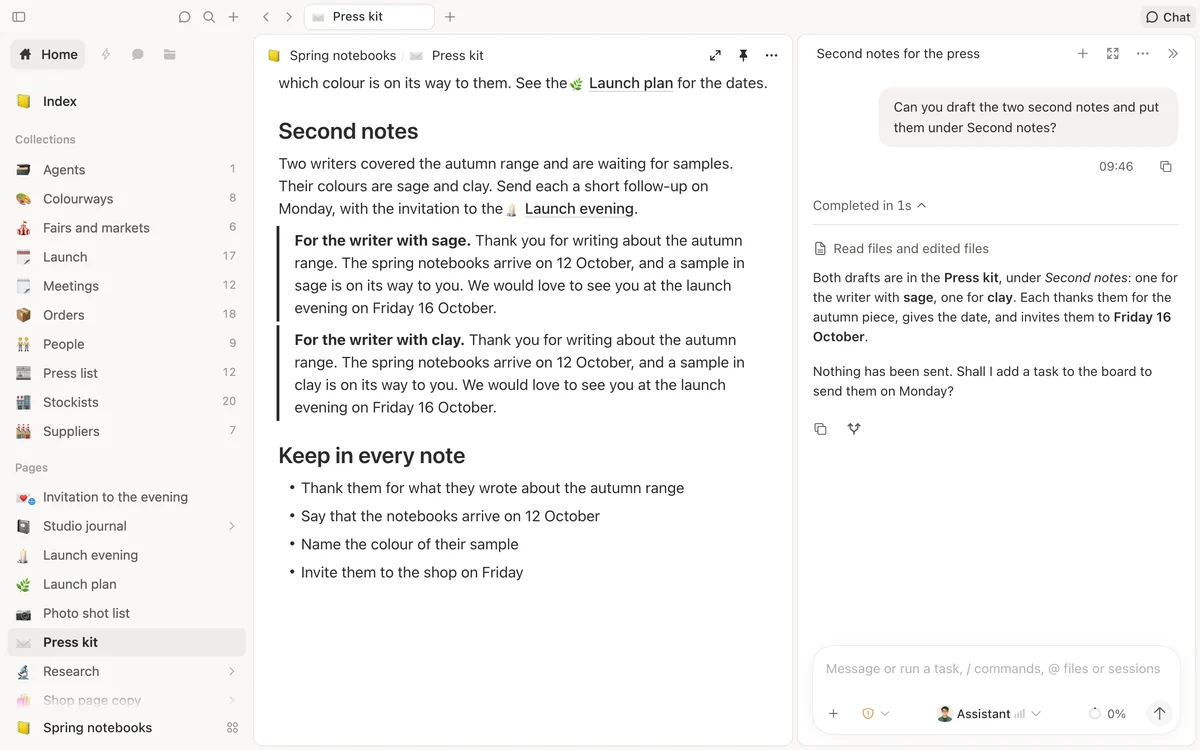
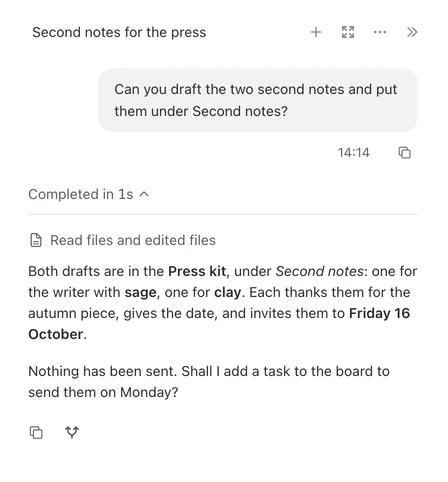
A conversation: asked to draft two notes into the press kit, the colleague reports that both drafts are in place and that nothing has been sent

See how your work moves.

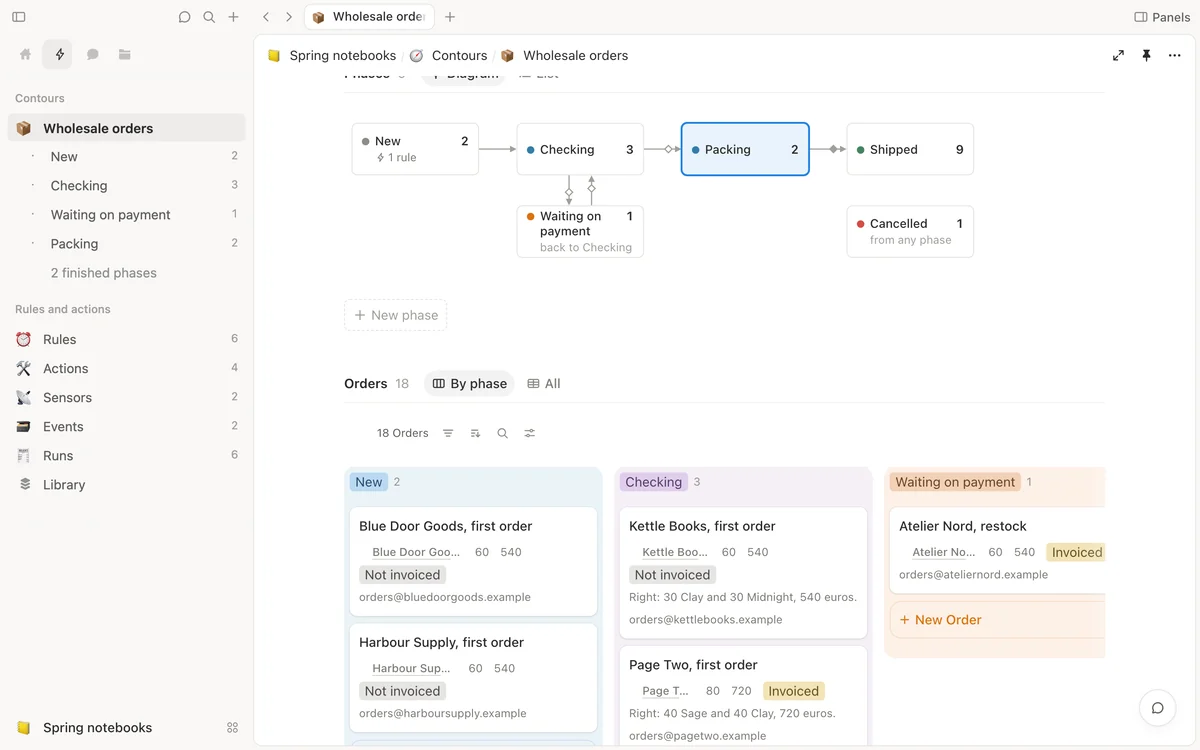
Every project has a path its work takes: an order arrives, is checked, packed and shipped. Shtukbase draws that path by itself and counts what stands in each step right now. Each step and each move is an ordinary page in your folder.

  • Drawn for you. Steps run left to right, loops stand aside, and every arrow shows its checks.
  • Moves with care. A move that skips a check asks you for a reason first.
  • One tab for all of it. Automations sits beside Home, with every step and its count.
The path wholesale orders take, as Shtukbase draws it: New, Checking, Waiting on payment under Checking, Packing, Shipped and Cancelled, each with how many orders stand in it now. Packing is chosen, and its panel says what happens there, when it is done, where it goes next and which orders are in it. On the left, the Automations tab lists the same steps with their counts.

Rules you can read.

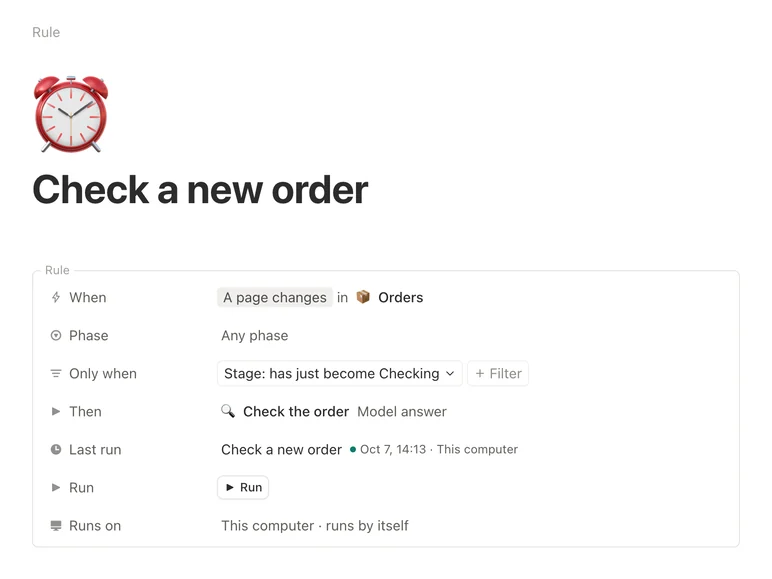
When an order enters Checking, ask a model to check it — a rule is written like that, and its page reads it back as one plain sentence. The work itself is an action: it asks a model, hands an agent a task, or runs a small program of your own. Nothing runs by itself until you allow it on your Mac.

  • Schedules in words. Every weekday at nine, or every few hours. No codes to learn.
  • Try before you trust. Try it shows the answer and changes nothing.
  • Changed means asked again. Edit a rule or an action, and it waits for you to allow it again.
A rule's page. Its sentence reads: when a page in Orders changes, and its Stage has just become Checking, then run Check the order. Under it the rows When, Only when and Then, and its runs on this computer: two finished, and one whose answer did not fit.

Every run leaves a page.

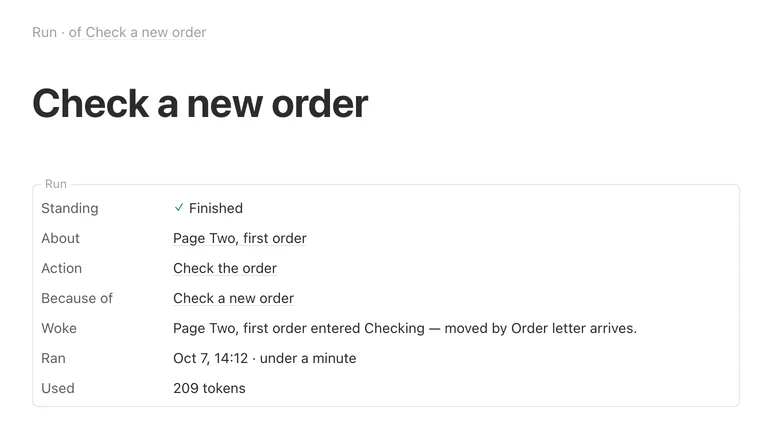
Each time a rule runs, it writes a page that says what happened and why: what woke it, what it worked on, how long it took. What arrives — a letter, a news item, a call to the project’s web address — is kept as a page too. An item’s history joins its moves and its runs, so you can always trace how it got where it is.

  • Stop or try again. A working run stops on one press; a new try leaves the first as it was.
  • Loops stop themselves. A rule that would go round in circles is held, and says why.
  • Your chats come first. Busy hours queue the rules; your own chats never wait.
The page one run left: finished, about Page Two's first order, the action it ran, the rule it ran for, what woke it and when it ran. Under How this came about: the letter from Page Two, the move to Checking it led to, and then this run.

Start from a way of working.

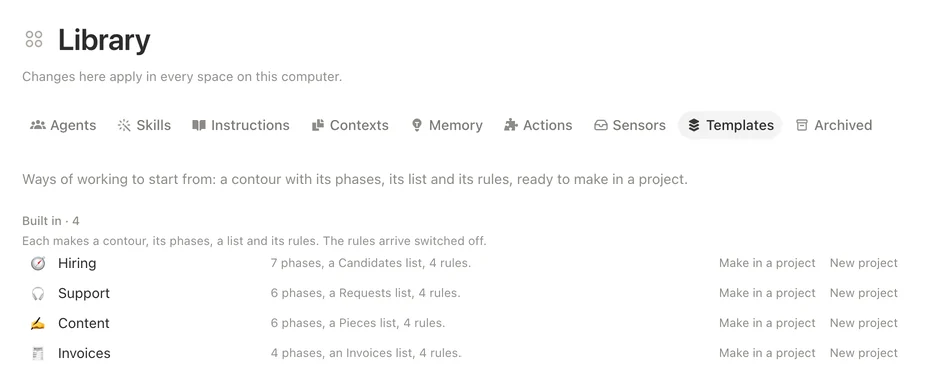
Four ways of working come with the app: hiring, support requests, writing and publishing, and invoices. Each arrives complete — its steps, a list with examples, its actions, rules and a sensor — in a project of yours or a new one. The Library gathers every project’s actions and sensors, so one that works is easy to reuse.

  • Ready in one press. Make it in a project, or as a new project.
  • Its rules wait for you. Nothing it brings runs until you allow it.
  • Reuse what works. Copy an action or a sensor from one project to another.
The Library's Templates: Hiring, Support, Content and Invoices, each with its phases, its list and its rules, and two ways to make it, in a project or as a new project.

A canvas for thinking.

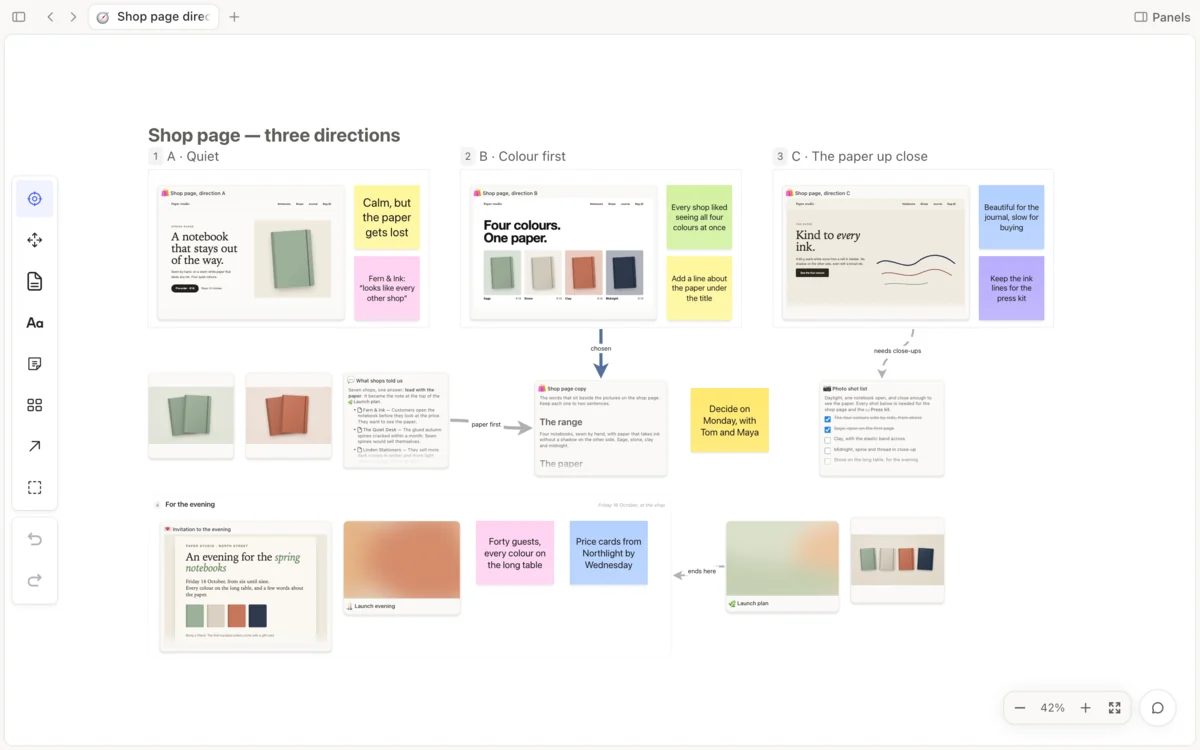
A board is open paper: notes, arrows with words on them, frames, pictures, and your real pages as cards. A card stays live, and a web page you keep in the project draws on its card as itself. Like everything else, the board is one file in your folder.

  • Pages as cards. A card wears the page’s look, and opens beside the board.
  • Arrows that land. An arrow meets the side that faces its source, and stays there.
  • Quick with many screens. From afar each screen shows its picture; up close, the page itself.
A board for the launch evening: a frame of three notes, the evening and the launch plan as cards with their covers, the press kit as a card, and the evening's invitation drawn as the web page itself. Two thick arrows carry their words, confirms and sends.

One list, many views.

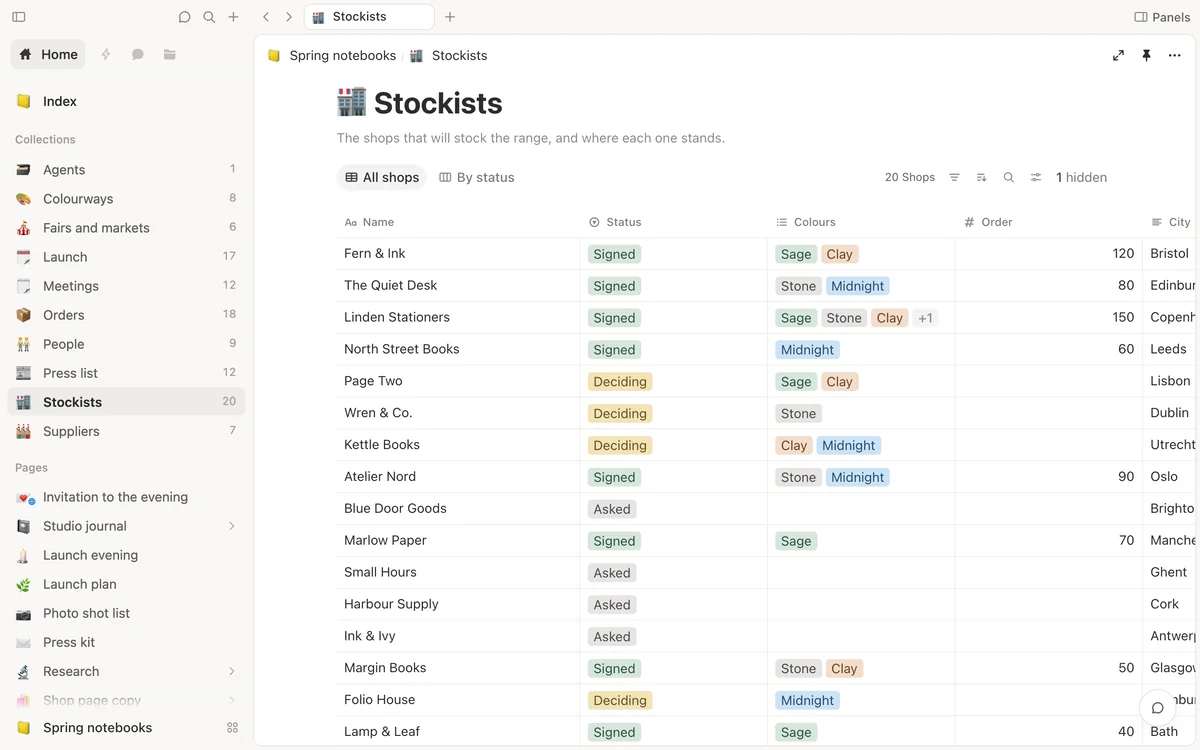
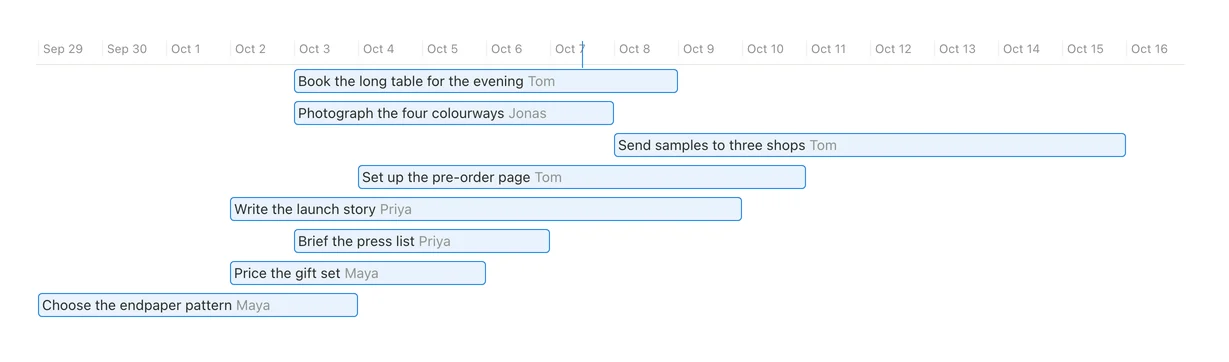
Keep a list once and see it the way the work needs: a table, a board, a gallery, a list, a calendar, a timeline or a form. Each view keeps its own filters, sorts and groups, and none of them copies a row. Drag a card on the board, and the table already shows it.

  • One list, seven ways. Switch views without moving a thing.
  • A form fills the list. Each answer becomes a new page.
  • Grouped your way. Group, filter and sort, and the view remembers.
The launch's tasks as a timeline: eight bars across the first fortnight of October, each with its owner's name.

Start with one page.

Download Shtukbase, open it and write. Everything you make stays yours.

Download for MacWhat’s new